eCommerce
Shopify vs WooCommerce vs Laravel: Which Is Best for Your Online Store in the Middle East?
Official sources checked 16 October 2026. Platform figures are region-labelled; labour scenarios are illustrative.
Start with the store you can operate
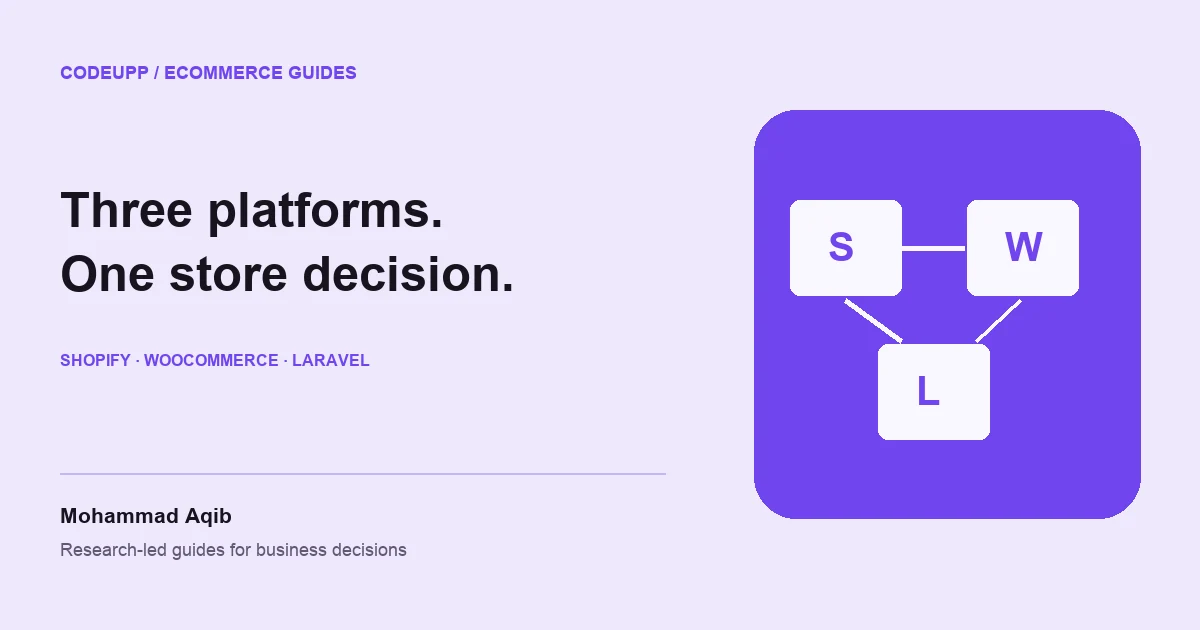
Shopify is a strong candidate when a merchant wants a managed commerce platform and can work within its product and payment constraints. WooCommerce suits businesses that value WordPress content and control, with someone responsible for hosting and extensions. Laravel is a development framework for building a custom application, so it belongs in the comparison when the business has requirements that justify bespoke engineering. These are three different ownership arrangements, not interchangeable products with a single universal winner.
For an online store in the Middle East, the choice should begin with merchant eligibility, local payment methods, Arabic and English content, fulfilment and the people who will run the shop. A beautiful theme cannot solve an unavailable payment provider or an unreliable stock process. Establish those requirements before commissioning a design. If you are still defining the business, the eCommerce launch guide provides a sequence from product selection to operations that applies regardless of platform.
The most expensive mistake is buying flexibility you do not need or discovering too late that you need flexibility you did not buy. A standard catalogue with ordinary fulfilment may fit a hosted platform well. A complex wholesale ordering process with negotiated prices and several approval stages may need more work. Write down the five customer and staff journeys that matter most, then test each option against them using realistic products, addresses and payment scenarios.
What the three options actually provide
Shopify: a managed commerce service
Shopify packages core store administration and hosted infrastructure into a subscription service. The merchant still has to configure products, content, payments, shipping, policies and any additional apps. Its attraction is a more bounded technical operating burden; its trade-off is working within the platform's supported capabilities and commercial terms. Before choosing it, confirm the required checkout, staff access and integration features on the actual plan you intend to buy, rather than assuming every advertised capability is included.
The official Shopify pricing page, checked on 16 October 2026, shows US-dollar Basic pricing of USD 29 per month when paid yearly. That is USD 348 for a full year before taxes and other charges, not a universal Gulf-market quote. Confirm the region, billing commitment, current monthly option and required features at purchase. Theme work, paid apps, payment processing and implementation are separate budget questions even when hosting is part of the subscription.
WooCommerce: commerce within a WordPress environment
WooCommerce offers a commerce foundation that you can combine with hosting, themes and extensions. The official WooCommerce pricing explanation describes a cost structure built around the merchant's chosen setup rather than one all-inclusive platform fee. Its appeal is control over content and implementation choices. The corresponding responsibility is maintaining the environment and keeping extensions compatible. Free core software should not be confused with a free operating store or unlimited technical support.
WooCommerce can be a practical fit when content publishing is important and the required commerce workflow is supported by maintained extensions. The quality of the result depends on the specific combination, not merely the platform name. Ask who owns hosting, updates, backups and checkout testing. A store with a small, coherent extension set can be easier to operate than one assembled from overlapping plugins that each change pricing, shipping or customer records in different ways.
Laravel: a framework for a custom commerce product
Laravel gives a development team tools for building an application. It does not automatically provide a complete merchant-ready store with your catalogue, returns process and administration screens. A custom build can support distinctive workflows, but the team must design and maintain them. Treat Laravel as an option when a valuable business requirement justifies the additional ownership. Our Laravel development cost guide explains the labour, integration and support work behind a custom application budget.
Custom does not have to mean writing every component from scratch. A team may use maintained packages or a licensed commerce foundation, provided those choices and constraints are disclosed. Ask which parts are original, which are third-party, and how future upgrades work. If the proposal is based on a ready-made system, compare that system honestly against hosted and WordPress alternatives. A technology label should not obscure what you are purchasing or which licences the business will depend on.
A useful comparison for Middle Eastern merchants
| Decision | Shopify | WooCommerce | Custom Laravel |
|---|---|---|---|
| Hosting and core platform operation | Managed service model | Merchant or provider arranges it | Merchant or provider designs it |
| Routine store administration | Product interfaces supplied | WordPress and commerce interfaces | Must be selected or built |
| Distinctive business workflows | Check platform and app constraints | Check extension fit and customisation | Can be designed within budget |
| Ongoing technical ownership | Lower infrastructure burden, still app and setup work | Hosting, updates and extensions need ownership | Application, infrastructure and upgrades need ownership |
| Best first question | Does the required plan and payment setup fit? | Is the chosen extension stack maintainable? | Is the custom requirement valuable enough? |
This table describes decision boundaries, not performance measurements or security rankings. Any option can produce a poor experience if implemented carelessly. A hosted platform can be slowed by unnecessary apps; a self-hosted store can be well maintained; a custom application can be either disciplined or fragile. Ask for evidence about your proposed setup and important journeys. Avoid broad claims that one technology automatically ranks better, converts better or handles every regional payment method.
Payments can change the commercial comparison
Merchant country, business activity, bank account and provider approval determine what payment arrangements are available. The country where a customer shops is not the same as the country where the merchant can open an account. Use Shopify's gateway availability guidance and the selected provider's onboarding process to confirm the arrangement. Do not assume that a payment logo on a marketing page means your specific company is eligible for it.
Shopify explains that third-party transaction fees can apply in addition to the payment provider's processing fees, with the applicable rate depending on the plan and circumstances. Review the official fee explanation before comparing costs. For illustration only, an additional platform charge of 2% on USD 20,000 of eligible transactions would be USD 400. That arithmetic is not a quote for your store or a claim that every payment receives that charge.
WooCommerce and custom applications also have payment costs, even when there is no equivalent platform transaction surcharge. The provider may charge percentage fees, fixed amounts, setup or recurring fees, currency conversion, refunds or disputes under its terms. Our GCC payment-gateway comparison explains how to request a complete schedule. Compare the expected payment mix and order values, not just the largest percentage printed on a landing page.
Local methods need explicit confirmation
For Saudi Arabia, ask about mada in the proposed account and integration. For Kuwait, ask about KNET; for Bahrain, distinguish Benefit and BenefitPay where relevant. UAE merchants should confirm the card and wallet methods their customers need, while Qatar and Oman require their own provider checks. These are procurement questions, not claims that every platform or provider enables every method. Require a live-account approval path and a sandbox demonstration before making the payment flow a launch dependency.
Arabic and English should be part of the design brief
An Arabic storefront requires more than changing the text. Navigation, product cards, forms, mixed-script numbers and confirmation messages need review. Test long product names, Arabic addresses, English model numbers and currency values together. Some interface elements should follow reading direction while others retain a familiar orientation. The Arabic-market website guide explains how to plan the experience. Ask platform specialists to show the exact theme and checkout behaviour you will use, rather than a generic RTL demonstration.
Content ownership matters just as much as layout. Decide who writes and approves each language, how product changes are synchronised and which language customer support can handle. A translated catalogue that drifts out of date creates a service problem. Keep product facts consistent across versions and make language switching preserve the customer's context where possible. Do not imply that a language option establishes legal or commercial readiness in every Arabic-speaking country; delivery, returns and payment terms still need local review.
Compare total ownership with one consistent model
A first-year budget should include implementation, subscriptions, hosting where separate, extensions, content, payment integration, migration and ongoing support. A three-year comparison should add renewals, upgrades and expected operational changes. Use the same assumptions for order volume, staff access and integrations across options. Otherwise, a simple Shopify store may be compared with an elaborate custom application, making the exercise meaningless. The custom eCommerce cost guide provides a broader scope-based budgeting method.
Here is a deliberately hypothetical example. A configured store might require 100 implementation hours at an assumed USD 50, producing USD 5,000 in labour. A more customised store might require 250 hours at USD 60, producing USD 15,000. A bespoke workflow might require 1,000 hours at USD 60, producing USD 60,000. These figures are not platform price tags, market averages or quotations. They demonstrate how the amount of custom work can dominate a subscription difference that initially attracts the buyer's attention.
The same discipline applies to maintenance. Assume one option requires USD 200 monthly in combined services and care, while another requires USD 800. Over three years, the difference is USD 21,600 before tax and any major changes. Whether that difference is justified depends on the benefit and scope. Do not select the lowest operating number if it excludes necessary support. The website maintenance guide explains how to distinguish infrastructure, routine care and incident response.
Catalogue, inventory and fulfilment are the real integration test
A store should know when stock is available, reserved, shipped and returned. Define which system owns that information. If warehouse staff use a separate ERP, the integration must handle delays and failures without silently overselling. Product variants, bundles and units of measure can create complexity even in a small catalogue. Test representative products before committing to a platform configuration. A demonstration with one simple item tells little about the hardest part of your actual inventory.
Returns deserve equal attention. Who approves them, how does stock change, and when is the refund initiated? A customer returning one item from a multi-item order creates a different path from cancelling the entire order. Shipping fees, discounts and partial fulfilment complicate the calculation. The ERP cost guide explains why operational systems need consistent identifiers and reconciliation. Ask suppliers to demonstrate these less glamorous workflows; they are where staff will spend time after launch.
SEO and performance are implementation responsibilities
All three routes can support useful content and crawlable pages when implemented appropriately, but none guarantees ranking. Structure categories around how people shop, write distinctive product information and preserve useful URLs during migration. Avoid generating country pages that repeat the same text without a real difference in offer or service. Google's multiregional site guidance supports explicit language and regional organisation; it is not a promise that country labels create visibility.
Performance should be tested with the actual theme, apps, images and product data. Measure important pages on representative mobile devices and connections. A platform demonstration without your content may conceal the effect of large images or several third-party scripts. Prioritise usable product browsing and checkout over elaborate animation. If an AI feature is proposed, follow the AI eCommerce roadmap: establish a useful task and evaluate its cost and reliability before adding another dependency to the store.
International expansion changes the operating plan
A Gulf business selling to the United States, United Kingdom, Canada or Australia needs more than a currency selector. Establish fulfilment, returns, support hours and the commercial terms for those customers. For Germany, the Netherlands, Denmark, Sweden, Ireland, Portugal, Spain and France, include appropriate language and privacy review. The platform may offer tools that help, but the business remains responsible for defining the offer and confirming the rules that apply to its actual operations.
Expansion into India, Pakistan, Bangladesh, Singapore, Malaysia, Turkey, Egypt, South Africa or China should likewise begin with payment availability, shipping and customer support checks. Do not assume the same gateway, advertising service or hosting arrangement works everywhere. Test the complete journey in each genuine target market before promoting it. Group markets operationally where that helps planning, but retain country-specific decisions where requirements differ. A smaller set of markets served well is more credible than a worldwide menu with uncertain fulfilment.
A practical selection exercise
Create three example orders: an ordinary purchase, a difficult product configuration and a partial return. Include a bilingual customer journey and a payment failure. Ask each shortlisted implementation partner to explain how its proposed platform handles them, what is standard and what requires custom work. Request a three-year cost outline and a list of dependencies. The exercise turns a broad technology debate into an evidence-based discussion about the store you actually need.
For Shopify, scrutinise plan and app fit. For WooCommerce, scrutinise extension compatibility and maintenance. For Laravel, scrutinise the business case for custom work, acceptance tests and long-term ownership. If a prebuilt Laravel commerce system is being considered, the Botble versus Shopify guide is a useful adjacent comparison. Treat each product's current licence and supported capabilities as facts to verify, not assumptions inherited from a platform label.
The decision to make before commissioning design
Choose the option that delivers the required workflow with an operating burden your business can sustain. A managed platform is often attractive when the offer is conventional and speed matters. WooCommerce can suit content-led merchants with dependable technical care. Custom Laravel can make sense when the distinctive workflow has enough business value to fund its development and maintenance. Those are conditional recommendations, not a ranking of technologies or a prediction of search performance.
Write the decision and its assumptions down. Confirm the payment account, required languages, catalogue model, fulfilment process and support owner before visual design consumes the budget. The eCommerce development service can be assessed against that brief. Ask the provider to show how the store will be operated after launch, because a website that only its developer understands is an expensive way to sell ordinary products.
Include the people who will maintain products and answer customers in the final demonstration. Ask them to change a price, correct an address, locate a payment and explain a delayed order. Their experience can expose friction that a design review misses. Record which tasks require a developer and how quickly those changes can be made. This small operational trial is a useful final check before committing to a platform, because the daily cost of awkward administration continues long after the initial design has stopped feeling new.
Check the exit path while the store is still small
Ask each implementation partner to demonstrate the data you can export: products, variants, customers, orders and relevant content. Inspect whether identifiers and relationships are preserved in a usable format. A simple customer list is not equivalent to an order history linked to the products and transactions that created it. You do not need to plan an immediate migration, but understanding portability helps reveal which parts of the operating model depend on a platform, app or custom component.
Also record what cannot move easily. Theme layouts, app-specific rules and payment tokens may require separate treatment, provider cooperation or replacement. Do not promise customers that every saved capability will survive a future platform change without checking. Include an exit allowance in long-term planning where the dependence is material. This does not make a hosted service a poor choice or custom software automatically portable; bespoke code can be difficult to transfer when documentation and dependencies are weak. The useful comparison is how clearly each proposed arrangement preserves your business data and explains the work needed to change direction later.
Frequently asked questions
Which platform is best for a new Middle Eastern online store?
There is no universal winner. Start with payment eligibility, catalogue requirements, languages and the team's operating capacity. Shopify can reduce infrastructure work, WooCommerce offers a flexible WordPress environment, and Laravel supports custom development when the business requirement justifies it. Test real workflows before selecting the platform.
Is WooCommerce cheaper because the core software is free?
Not necessarily. Hosting, extensions, implementation and maintenance still cost money or staff time. Compare the complete operating setup over a consistent period. A free core can be good value, but it does not establish that the finished store is cheaper than a managed service for the same requirements.
Does Laravel provide a complete online store automatically?
No. Laravel is an application framework. A team must build or select the commerce functionality, administration, integrations and operational controls. Ask whether the proposal uses a prebuilt product and which licences apply, so you understand what is custom and what depends on third-party software.
Will choosing a particular platform improve Google rankings?
No platform choice guarantees rankings. Useful content, crawlable structure, reliable performance and a good customer experience matter, along with factors outside the implementation. Use regional and language pages only where they represent genuine differences, and measure search performance after launch rather than promising visibility from a technology label.
Official sources and further checks
Related CodeUpp guides
Continue with a guide that matches your next step:
Web Development
- Website Speed and Core Web Vitals for Online Stores: Benchmarks, Fixes and Costs (2026 Guide)
- European Accessibility Act, ADA and WCAG 2.2: Is Your Website Legally Compliant? (EU, UK, USA, Canada)
- Website vs Mobile App for Your Business in 2026: Cost, Reach and Which to Build First
- Website Redesign Cost in 2026: When to Redesign, When to Rebuild and What It Does to Your SEO Rankings
- How to Choose a Web Development Company in 2026: 12 Questions to Ask Before You Sign (UAE, KSA, UK, USA)
- Website Development Cost in Saudi Arabia, Bahrain, Kuwait, Qatar and Oman: 2026 Guide
- How to Build a Website for the Arabic Market: RTL Design, Content and SEO Mistakes to Avoid
- Custom Laravel Development Cost in 2026: Pricing by Country and Project Type
- Freelancer vs Agency vs In-House Team: Who Should Build Your Website in 2026?
- Website Maintenance Cost in 2026: What Businesses in the UK, USA, Canada and the UAE Pay
- Web Development Trends in 2026: What Your Business Should Prioritize
Business Software
- UAE PDPL vs Saudi PDPL vs GDPR vs CCPA: Data Protection Rules Every Website Owner Must Know
- How Much Does Custom ERP Software Cost in 2026? UAE, Saudi Arabia, India, UK and USA Compared
- CRM Development Cost in 2026: Custom vs Off-the-Shelf for Growing Businesses
- How to Start an Online Business in Dubai in 2026: Licence, Website, Payments and Launch Checklist
eCommerce
- Headless Commerce Explained: Is It Worth the Cost for Small and Mid-Size Stores?
- Cash on Delivery in Ecommerce: How It Works, Return Rates and How to Reduce Losses
- Ecommerce Conversion Rate Benchmarks by Country: What Is a Good Rate in the UAE, Saudi Arabia, USA, UK and India?
- How to Build a Multi-Vendor Marketplace Like Amazon or Noon: Features, Cost and Timeline
- Best Payment Gateways for Online Stores in the UAE, Saudi Arabia, Kuwait and Bahrain: 2026
- eCommerce Website Cost in Bangladesh, Pakistan and India: What Local Stores Pay in 2026
- GDPR and Cookie Consent for Online Stores: A Practical Checklist for Denmark, Germany, France and the UK
- Botble CMS vs Shopify in 2026: Which Fits Your Online Store?
- How Much Does a Custom eCommerce Website Cost in 2026? A Global Budget Guide
- How to Create an Affordable eCommerce Website in 2026
- How to Create an eCommerce Store: From First Product to Global Launch
AI & eCommerce
Hosting
Blockchain
- How Much Does It Cost to Build a Crypto Exchange Like Binance in 2026?
- How Much Does a Smart Contract Audit and Development Cost in 2026?
- Web3 and DApp Development Cost in 2026: What Startups in the UAE, USA and Europe Should Budget
- How to Create a Crypto Token, Explorer and DApp: A Practical Guide
- EVM Blockchain Development: Architecture, Costs and Launch Planning
Have a project in mind? Let’s talk about it.